
What was discussed on the phone is there in black and white.
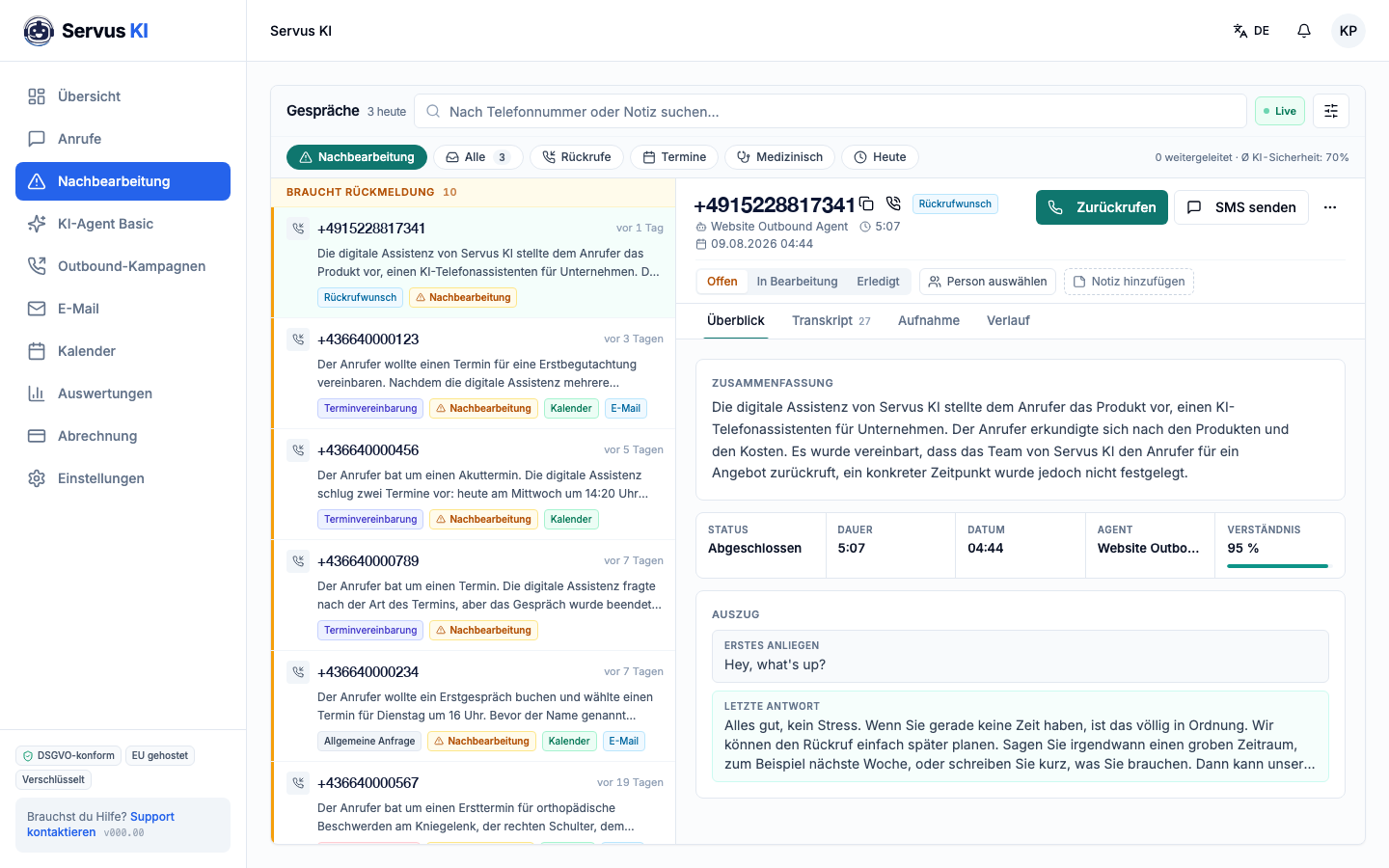
After every call Servus KI writes a summary, assigns the request to a category and attaches the transcript and recording. Your team reads in ten seconds what it was about, instead of spending five minutes on the phone finding out.
What is behind it
01
The summary writes itself
After every call a short text is created automatically: who called, what the request was, what was agreed. It is the note that on a piece of paper is either missing or illegible.
02
Every request gets a category
Callback request, appointment booking, medical request, other. Your team filters the list by what is due now instead of working through everything.
03
Open, in progress, done
Every call that needs a response has a status. Nothing is left because nobody knew it was still open, and nobody calls twice because two people saw the same note.
04
Call back straight from the view
Callbacks and SMS start directly from the call. The number does not have to be typed out, and what you wrote is in the history afterwards.
How it works in practice
- 1
At 4:44 in the morning someone calls and would like an appointment for a first assessment. The practice is closed, so Servus KI takes the request.
- 2
At 7:30 the assistant opens the call list. The call is under "needs a response", with the category "appointment booking" and a three-line summary.
- 3
She sees that no specific time was fixed yet, clicks "call back" and books the appointment. The status jumps to "done". The whole thing took two minutes, not twelve.
With and without
Today
- The callback is on a note and gets dealt with between two patients.
- Only the person who took the call knows what was discussed.
- Requests taken at night do not exist, the phone rings into the void.
- Whether somebody has already called back is settled by asking around.
With Servus KI
- It is on a list with a status and does not get lost.
- It is there as a summary, for everyone on the team.
- They are waiting, sorted, in the morning.
- The status says so.
Related
Frequently asked questions
Are all calls recorded?
Recording is a setting you make. If it is active, the greeting says so, and the dashboard reminds you if that notice is missing from your greeting. The summary and transcript work without a recording too.
How long is the data stored?
According to the deletion periods we agree with you in the data processing agreement. The data is held on servers in the EU.
Can we transfer the calls into our practice management system?
The summary and transcript can be passed to another system automatically after every call. What is possible in your case is something we clarify in the first call, as it depends on the interface your system offers.
Does the whole team see the same list?
Yes. That is exactly the point: one state of play for everyone, instead of notes on several desks.