
The phone is quiet. That leaves the inbox.
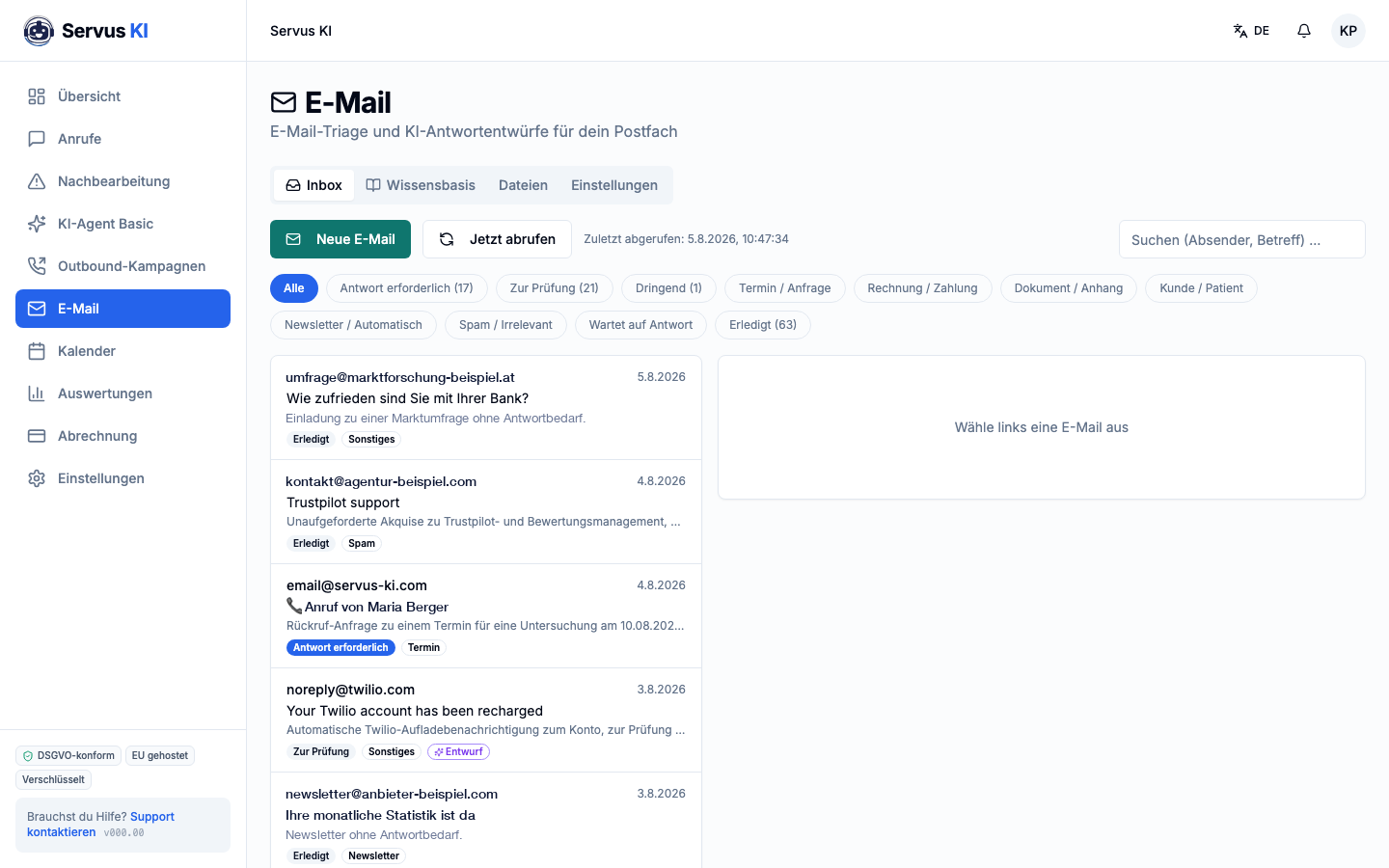
Servus KI reads along in your practice inbox, sorts every message by request and marks what really needs an answer. For the common cases a draft is ready, and it only goes out once you approve it.
What is behind it
01
Every message gets a request type
Appointment or enquiry, invoice or payment, document or attachment, patient request, newsletter, spam. You open the tab that is due now instead of working through everything in chronological order.
02
You see in one line what it is about
Below every subject line there is a one-sentence summary. You can tell what needs no answer without opening the message. In a practice inbox that is the majority.
03
Replies wait as drafts, not as sent mail
For recurring requests Servus KI creates a suggested reply based on your knowledge base. The draft does not go out automatically. It waits until somebody on your team has read and approved it.
04
Done stays done
Every message has a status: awaiting a reply, or done. Two people do not answer the same enquiry, and nothing slips through because it sat between two newsletters.
How it works in practice
- 1
Overnight 14 messages arrive. Servus KI fetches the inbox and sorts them: nine newsletters and automatic notifications, three invoices, one appointment change, one question about a test result.
- 2
At 7:30 the assistant opens the "reply needed" tab. Two messages are there, not fourteen. For the appointment change a draft with two alternative times is already waiting.
- 3
She reads the draft, changes one word and sends it. She passes the question about the test result to the doctor. Both are set to "done". The inbox is clear at 7:36.
With and without
Today
- Every message is opened to see whether it is important.
- Important messages sit between newsletters and automatic notifications.
- Recurring replies are typed out from scratch every time.
- Whether an enquiry has been answered is settled by asking around.
With Servus KI
- The summary says so before you open it.
- They are in a tab of their own.
- The draft is ready and only has to be checked.
- The status says so.
Related
Frequently asked questions
Does Servus KI send emails in our name without us seeing them?
No. Servus KI creates drafts. Nothing is sent until somebody on your team has approved the draft. That order is fixed and cannot be reversed.
How does Servus KI know what the reply should say?
From a knowledge base you maintain yourself, the same logic as for information on the phone. What is not entered there is not invented; the message simply lands with you for handling.
Does our inbox have to move?
No. Servus KI fetches your existing inbox. Which connection is possible in your case is something we clarify in the first call.
How does this look from a data protection point of view?
Processing takes place on servers in the EU, a data processing agreement is available, and we agree the deletion periods with you. You decide which inboxes are connected.
What does it cost?
From €24 a month, in addition to your package. All prices are plus VAT.